Showing posts with label safety. Show all posts
Wednesday, May 29, 2019
Prevent Heatstroke Deaths
EIGHT SIMPLE STEPS TO PREVENT HEATSTROKE DEATHS. Never leave a child in a vehicle unattended—even if the windows are partially open or the engine is running, and the air conditioning is on. Make a habit of looking in the vehicle—front and back—before locking the door and walking away. Ask the childcare provider to call if the child doesn’t show up for care as expected. Place your purse or briefcase in the back seat to ensure your child isn't accidentally left in the vehicle. Write a note or place a stuffed animal in the passenger's seat to remind you that a child is in the vehicle. Teach children that a vehicle is not a play area and store keys out of a child's reach. If you see a child alone in a locked car, get them out immediately and call 911. A child in distress due to heat should be removed from the vehicle as quickly as possible and rapidly cooled. To learn more, visit https://www.nhtsa.gov/campaign/child-safety.
Wednesday, November 7, 2018
Safety Belts
Do you wear your safety belt? Even on short trips? Pfc. Bedard explains why it is important to buckle up every time!
To learn more about child safety seats, visit https://www.safekids.org/car-seat.
Monday, May 23, 2016
Tips for Securing Your Accounts
Passwords can be inconvienient, but they're important if you want to keep your information safe. Check out this flyer for ways to make your accounts more secure.
Monday, May 16, 2016
Cyber Safety Series - 2 Factor Authentication
Cyber Safety Series
Two Factor Authentication
Two-factor authentication (also referred to as two-step or multi-factor authentication or verification or 2FA) is an overly technical-sounding term for a simple solution.
It’s a security tool that uses multiple verification techniques to prove that the person attempting to log in to an account is really them.
There are a variety of methods you can use to log in to an account with two-factor authentication, including
Something you know: a password, code, passphrase or PIN
Something you have: a physical token, chip, fob, or phone
These methods provide an extra layer of security. Most people only have one layer – their passwords – to protect their accounts. But combining something you know (your password) with something you have (like your mobile device or a token) makes your account even more secure.
Never give out your code to anyone! Someone asking for your code to verify you are the correct owner is a social engineering trick to get you to hand over access to your account. Don't fall for it!
Head over to https://stopthinkconnect.org/campaigns/two-steps-ahead-campaign to learn more about two factor authentication and how to set it up for your accounts.
Thank you to stopthinkconnect.org for the information!
Tuesday, May 10, 2016
Phishing Scam
Scammers will try to obtain your information by sending emails that look official in hopes you click on a link they provide.
Examples of Phishing Messages
You open an email or text, and see a message like this:
"We suspect an unauthorized transaction on your account. To ensure that your account is not compromised, please click the link below and confirm your identity."
"During our regular verification of accounts, we couldn't verify your information. Please click here to update and verify your information."
“Our records indicate that your account was overcharged. You must call us within 7 days to receive your refund.”
The senders are phishing for your information so they can use it to commit fraud.
How to Deal with Phishing Scams
Delete email and text messages that ask you to confirm or provide personal information (credit card and bank account numbers, Social Security numbers, passwords, etc.). Legitimate companies don't ask for this information via email or text.
The messages may appear to be from organizations you do business with – banks, for example. They might threaten to close your account or take other action if you don’t respond.
Don’t reply, and don’t click on links or call phone numbers provided in the message, either. These messages direct you to spoof sites – sites that look real but whose purpose is to steal your information so a scammer can run up bills or commit crimes in your name.
Area codes can mislead, too. Some scammers ask you to call a phone number to update your account or access a "refund." But a local area code doesn’t guarantee that the caller is local.
If you’re concerned about your account or need to reach an organization you do business with, call the number on your financial statements or on the back of your credit card.
Thank you to onguardonline.gov for the information!
Tuesday, May 3, 2016
Stay Safe from Cybercrime
(Click to Enlarge)
Tax season is prime time for online scams. Cybercriminals are continuously
looking to lift your personal information to cash in on a refund request and/or steal
your identity. The problem is rampant: in 2015, the Federal Trade Commission
received close to half a million complaints, and nearly half (45 percent) were tax
fraud-related. Cyber thieves are crafty: they can break into your account or device
and literally steal your online life – as well as your tax refund.
Thank you to the National Cybersecurity Alliance for the information!
Monday, May 2, 2016
Summer Safety Camp - REGISTRATION IS NOW CLOSED
·
DATES: June 20-24, 2016
·
TIME: check in time is 8:30 a.m. - check out is 12 noon
·
LOCATION: Whitesides Elementary School (1565 Rifle Range Road)
·
COST: Free to Mount Pleasant residents
·
AGES: 5 - 10
The Mount Pleasant Police Department Summer Junior Safety
Camp is designed to educate young people ages 5 to 10 on a variety of safety
topics and to build positive relationships with the community. The safety camp
is free and runs for a one-week period. The safety topics will include:
Fire safety, water safety, bike safety, animal safety, and more!
Tuesday, February 23, 2016
Help Protect Children Against Inappropriate Content
Before your children use the Internet, you should talk to them about what content they are allowed to access. Above all, it’s important to open the lines of communication about online material that makes your child feel uncomfortable. Often, children are afraid to tell a parent or guardian about something they have seen because they are afraid that their Internet privileges will be taken away. The best solution is to openly discuss the situation before a problem arises.
- Know where children may have access to the Internet—at school, friends’ houses, community centers, or libraries—and where the computers may not have blocking and filtering mechanisms.
- Encourage your children to come to you or another trusted adult if he or she encounters inappropriate material.
- Install blocking, filtering, and monitoring software in order to block pop-ups, restrict access to sites with adult content, and see which sites your children visit.
- Discuss your family values with your children and be clear about what online content aligns with those values. Clarify values and discuss how much of what is readily available may not support healthy values.
- Use the NetSmartz Internet Safety Pledges to set clear guidelines for going online.
- Report the sexual exploitation or online enticement of a child to www.cybertipline.com.
Thank you to NetSmartz.org for providing these tips!
Thursday, February 18, 2016
Amy's Choice
Hear the true story of a 15-year-old girl who left home to meet in person a man she first "met" online. Make sure your kids understand the importance of letting you know where they will be and who they are with. They need to know they can come to you when they have a problem.
Thank you to NetSmartz.org for producing this video!
Thursday, February 11, 2016
Post to Be Private
Does your child understand how to set their social media pages to private? Do they know who is on their "friends" list? Watch this video and discuss with them the importance of accepting friend requests only from people they know in real life. Also talk to them about not oversharing personal information or identifying information in pictures and video.
Thank you to NetSmartz.org for producing this video!
Thursday, February 4, 2016
Online Gaming
After watching this video, ask your kids if they ever talk to other gamers online. Do they share any personal information? Do they ever hear anything that makes them feel uncomfortable? Have they ever been offered gifts? Make sure they know that they should come to you if they ever feel uneasy or are asked for any personal information. Show them how to mute or block cyberbullies and let them know that they should never gifts in exchange for information. Below is a list of tips for gaming safety.
Friday, January 22, 2016
Cyber Safety Series
We are teaming with NetSmartz.org to bring attention to cyber safety that will include topics on basic internet safety, cyberbullying, online gaming, cell phone safety, social networking, and more. This will be geared towards parents and their children to help spark conversations on how to be safe while online.
Children use a variety of online services, and each of these services can have different safety concerns. However, there are some basic tips which you can employ no matter how your children use the Internet.
*Keep the computer in a high-traffic area of your home.
*Establish limits for which online sites children may visit and for how long.
*Remember that Internet technology can be mobile, so make sure to monitor cell phones, gaming devices, and laptops.
*Surf the Internet with your children and let them show you what they like to do online.
*Know who is connecting with your children online and set rules for social networking, instant messaging, e-mailing, online gaming, and using webcams.
*Continually dialogue with your children about online safety.
Wednesday, November 11, 2015
South Carolina's Child Passenger Restraint Law
South Carolina’s child passenger restraint law requires that:
- Children from birth to 1 year old, or who weigh less than 20 pounds, must be secured in a rear-facing child safety seat.
- Children 1 through 5 years old weighing at least 20 pounds and less than 40 pounds must be restrained in a forward-facing child seat.
- Children 1 through 5 years old weighing 40 to 80 pounds must be secured in a belt-positioning booster seat.
- Children under the age of 6 are not required to be in booster seats if they weigh more than 80 pounds or if they can sit with their backs against the car's seat and bend their legs over the seat edge without slouching.
- Children under 6 may not sit in the front passenger seat. However, this restriction does not apply if the vehicle has no rear passenger seats or if all other rear passenger seats are occupied by children less than 6 years old.
This law does not apply to taxis, church, school and day care buses, or commercial vehicles.
Car Seat Safety Tips from SafeKids:
Friday, September 11, 2015
Child Safety Seat Inspection
Tuesday, September 8, 2015
Car Seat Checkup Event
Safe Kids Trident Area Offers Car Seat Inspections for Child
Passenger Safety Week
Certified technicians
help parents correctly use and install car and booster seats
to celebrate National Child Passenger Safety Week
Mount Pleasant, South Carolina – Safe Kids Trident Area urges
parents and caregivers to make sure their car seats and booster seats are
properly installed for a kickoff event for “National Child Passenger Safety
Week” on Friday, September 11th.
Mount Pleasant will have
certified child passenger safety technicians available to provide hands-on
instruction on installing car and booster seats at Target from 1:00 to 4:30.
“Correctly used child safety seats can reduce the risk of death by
as much as 71 percent,” said Jennifer Winkelmann, Injury
Prevention Coordinator at MUSC Children’s Hospital and Coordinator for Safe
Kids Trident Area. “We want all parents to make sure
their car seats are used and installed
correctly and that the whole family is buckled up every time on every ride. And
we’re here to help.”
About Safe Kids Trident
Area
Safe Kids Trident Area works to prevent unintentional
childhood injury, the number one cause of death for children in the United
States. Its partners include local fire, EMS and police personnel. Safe Kids
Trident Area is a member of Safe Kids Worldwide, a global network of
organizations dedicated to preventing unintentional injury. Safe Kids Trident
Area was founded in 1996 and is led by MUSC Children’s Hospital. For more
information, visit safekids.org or musckids.org.
Wednesday, September 2, 2015
Car Seat Inspection Event
Come out September 11, 2015 to Target on Long Grove Dr. to learn how to install your child's car or booster seat. There will be nationally certified technicians on hand to make sure your car seat is properly installed. We have teamed up with Trident Area Safe Kids and the MUSC Children's Hospital to put on this event.
Please call 843-792-5327 if you have any questions about this event.
Friday, May 15, 2015
South Carolina Safety Belt Law
South Carolina’s safety belt law requires that every driver and every occupant of a motor vehicle, when it is being operated on the public streets and highways of this State, must wear a fastened safety belt that complies with all provisions of federal law for its use. The driver is charged with the responsibility of requiring every occupant 17 years of age or younger to wear a safety belt or be secured in a child restraint system as required by law. However, a driver is not responsible for an occupant 17 years of age of age or younger who has a driver’s license, special restricted license, or beginner’s permit and who is not wearing a safety belt.
This law does not apply to:
- A driver or occupant who possesses a written verification from a physician that he is unable to wear a safety belt for physical or medical reasons;
- Medical or rescue personnel attending to injured or sick individuals in an emergency vehicle when operating in an emergency situation as well as the injured or sick individuals;
- School, church, or day care buses;
- Public transportation vehicles except taxis;
- Occupants of vehicles in parades;
- United States mail carriers;
- An occupant for which no seatbelt is available because all belts are being used by other occupants;
- A driver or occupants in a vehicle not originally equipped with safety belts.
Monday, October 27, 2014
Halloween Safety Tips
With Halloween coming up Friday, we wanted to give you a few tips to help keep you and
your children safe while trick or treating:
Walk Safely
*Cross the street at corners, using traffic signals and crosswalks. Look left, right and left again
when crossing and keep looking as you cross.
*Put electronic devices down and keep heads up and walk, don’t run, across the street.
*Teach children to make eye contact with drivers before crossing in front of them.
*Always walk on sidewalks or paths. If there are no sidewalks, walk facing traffic as far to the
left as possible. Children should walk on direct routes with the fewest street crossings.
*Watch for cars that are turning or backing up. Teach children to never dart out into the street
or cross between parked cars.
*Trick or Treat With an Adult
*Children under the age of 12 should not be alone at night without adult supervision. If kids are
mature enough to be out without supervision, they should stick to familiar areas that are well lit
and trick-or-treat in groups.
Keep Costumes Both Creative and Safe
*Decorate costumes and bags with reflective tape or stickers and, if possible, choose light
colors.
*Choose face paint and makeup whenever possible instead of masks, which can obstruct a
child’s vision.
*Have kids carry glow sticks or flashlights to help them see and be seen by drivers.
*When selecting a costume, make sure it is the right size to prevent trips and falls.
Drive Extra Safely on Halloween
*Slow down and be especially alert in residential neighborhoods.
*Children are excited on Halloween and may move in unpredictable ways.
*Take extra time to look for kids at intersections, on medians and on curbs.
*Enter and exit driveways and alleys slowly and carefully.
*Eliminate any distractions inside your car so you can concentrate on the road and your
surroundings.
*Drive slowly, anticipate heavy pedestrian traffic and turn your headlights on earlier in the
day to spot children from greater distances.
*Popular trick-or-treating hours are 5:30 p.m. to 9:30 p.m. so be especially alert for kids
during those hours.
Thank you to SafeKids for these tips! www.safekids.org
Subscribe to:
Posts (Atom)
Featured Post
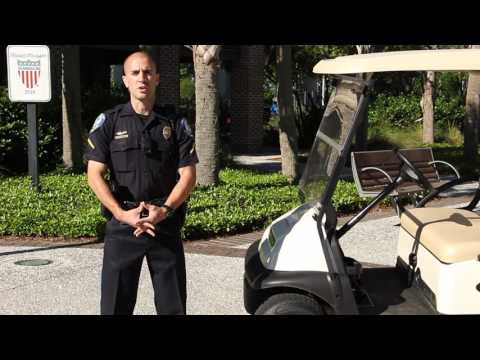
Golf Cart Laws
To help keep everyone safe, the Mount Pleasant Police Department would like to remind everyone of the South Carolina laws governing golf...
-
Have you ever received a strange email or phone call where the other person knew several key pieces of information about you but you c...
-
The Mount Pleasant Police Department is seeking the public's help in identifying the man in the above video...